
Sales is not luck, it's a system! Odoo CRM Masterclass
From 0 to "Deal Closed"

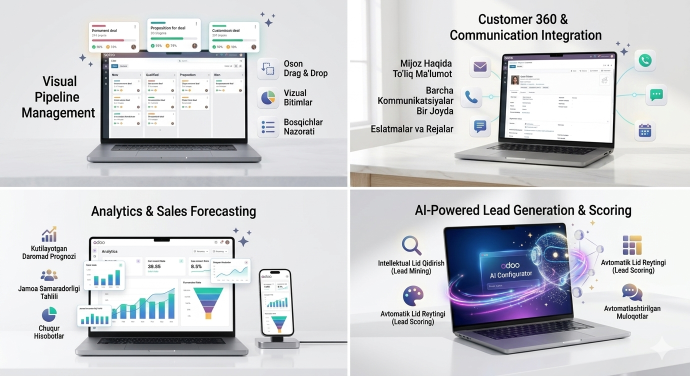
Lead generation
Where do leads come from?
The process starts with collecting sales opportunities (leads). The system automatically captures requests coming from your website, email, or other sources and adds them to the "Leads" list.
Lead generation
Go to the menu.Enter the CRMmodule.Click on the Leadsmenu.Create a LeadClick the (Create Lead) button or wait for a request to come in.
Benefit:No potential customer will be overlooked, all information is consolidated in one system.
From Lead to Deal (Qualification & Opportunity)
At this stage, we explain how the system creates a clear sales opportunity — 'Opportunity' from a lead.
Leads are simply inquiries. They need to be qualified, meaning you need to determine whether there is a real likelihood of purchase.
- Open the lead card.
- Contact the customer and identify their needs.
- If the customer shows interest, click theConvert to Opportunity(Convert to Opportunity) button.
Benefit:The sales team works only with real customers worth spending time on.
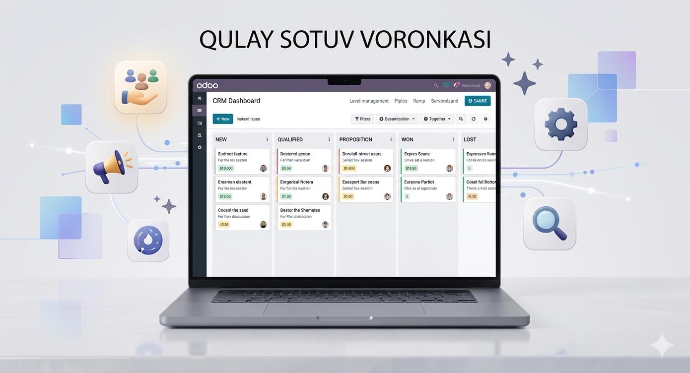
Kanban board (Pipeline Management)
All qualified deals are visible on the visual Kanban board (Pipeline). These stages indicate the current status of the deal (e.g., New, Qualified, Proposal, Contract).
My Pipelineaccess the menu.
To move the deal to the next stage, drag the card to the desired column with your mouse (Drag & Drop).
Benefit:A complete view of the sales process, allowing you to immediately identify which stage you are stuck in.
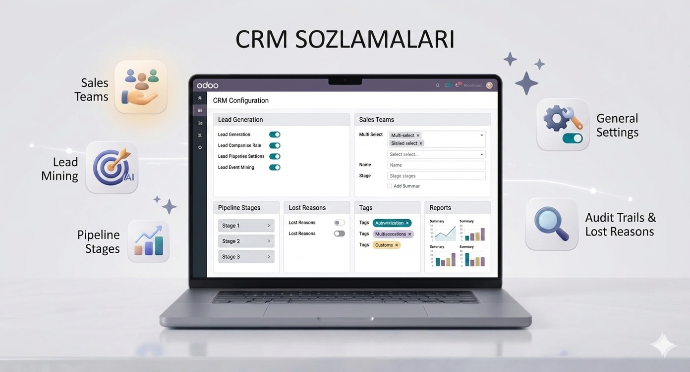
System Configuration
Your site looks great, now we will turn it into a real business tool. In this section, we will check the site on a phone and learn how to track what customers are doing.
Settings
The "brain" of the CRM module. Here you can turn the main functions of the system on or off.
In this section, the functions for enriching leads, forecasting sales, and managing recurring leads are activated.
Benefit:Allows you to customize the system according to the scale of your business.
Sales Teams
Organize different sales departments in your company (e.g., "Export Department", "Local Sales", "Online Sales").
You can assign a separate leader and target revenue for each team.
Benefit:Fosters healthy competition between teams and helps analyze results across departments.
Team Members
A list of employees assigned to each sales team.
Here you can view and change the sales limits for employees and the order in which leads are automatically assigned to them.
Benefit:As a manager, you can clearly see who is working in which team and how much workload they have.
Activity Types
List of actions to be taken with the client(Call, Email, Meeting, Todo).
You can create a new activity type specific to your business (for example: "Conducting a presentation" or "Sending samples").
Benefit:Sales managers know exactly what to do with each client.
Activity Plans
A chain of sequential actions.
For example, if a new lead comes in:
- Day 1 call
- Day 2 email
- Day 5 meeting
you save the sequence as an automated plan.
Benefit:The manager does not have to think about what to do each time; the system tells them the next step.
Stages
Columns of the Pipeline.
A place to edit stages like "New", "Qualified", "Proposition", "Won" or add new stages like "Payment Pending".
Benefit:Visually organizes your sales process.
Tags
Small labels used to group deals.
Tag deals with labels like "VIP", "Service", "Software".
Benefit:You can find deals in the desired direction within seconds through filters.
A list explaining why the customer did not make a purchase.
Enter reasons such as "Price is high", "Competitor was chosen", "Customer did not respond".
Benefit:Analyzing which reason is causing the most customer loss will help change the business strategy.
Lead Mining Requests
Odoo's system for automatically finding new customers through artificial intelligence.
You filter by industry, state, and company size, and Odoo generates a database of potential customers for you.
Benefit:Provides the sales department with a stream of qualified leads.