
⚡️ Direct Integration from Odoo to Telegram: Forget the Limits!
Now you can send text messages and PDF reports to Telegram from any Odoo document (Sales, Invoice, Inventory, etc.) in just a few seconds!
Important note:OnlySelf-hosted(on a personal server) versions. Does not work on Odoo Online platform.
✨ Amazing features that will surprise you:
A convenient button will appear in the chat interface (chatter) just like WhatsApp. Now there's no need to leave the system to contact the client!
Select any report in PDF format and send it as a document with just one click. Fast, high-quality, and modern!
Save your time by sending both a text message and a PDF file to multiple recipients at the same time.
Without complex settings! It's enough for the client to send the /start command to the bot — Odoo will automatically detect their Chat ID number via Webhook and link it to the database.
Fully control which models the button appears on, which reports can be sent, and which users have this right.
The status, time, and result of each sent message are recorded in the system. Additionally, an automatic reminder about the completed tasks is left in "Chatter."
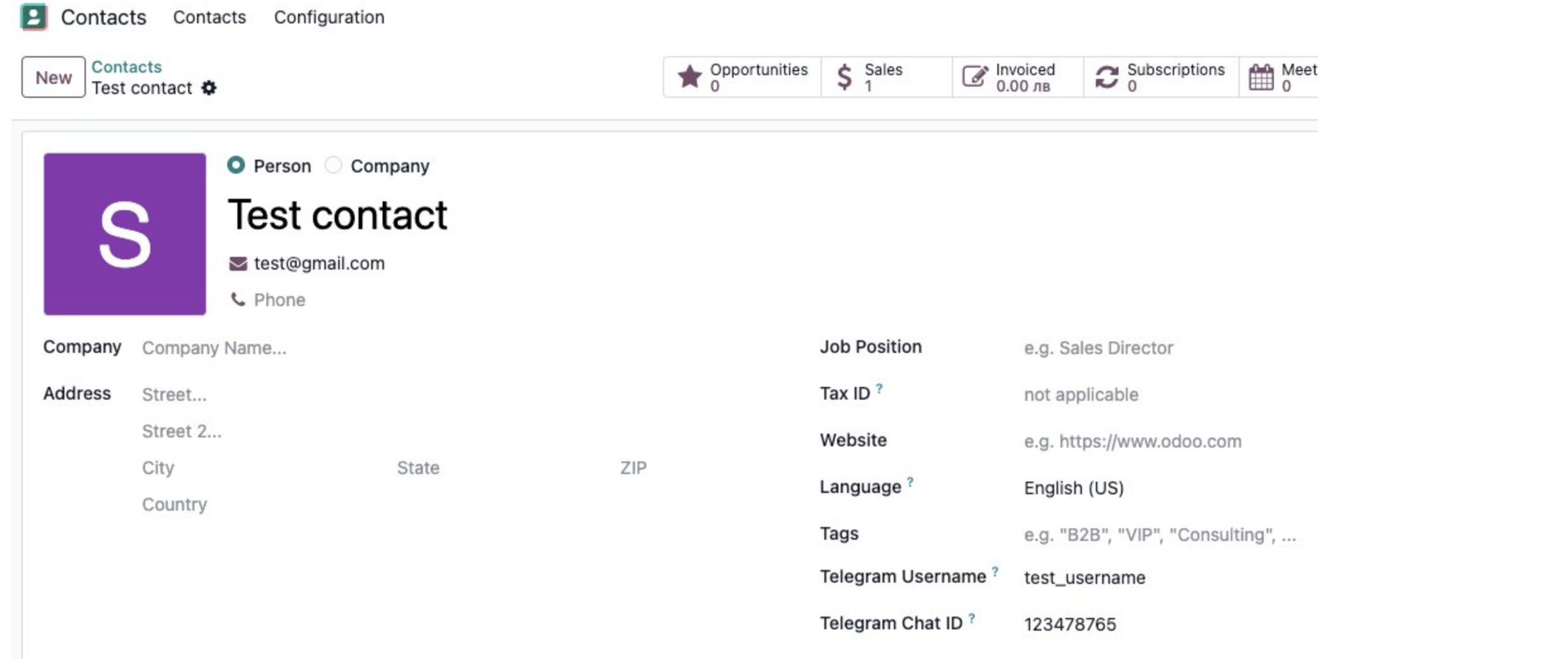
Connection form — Telegram Username and Chat ID fields are added for each partner.
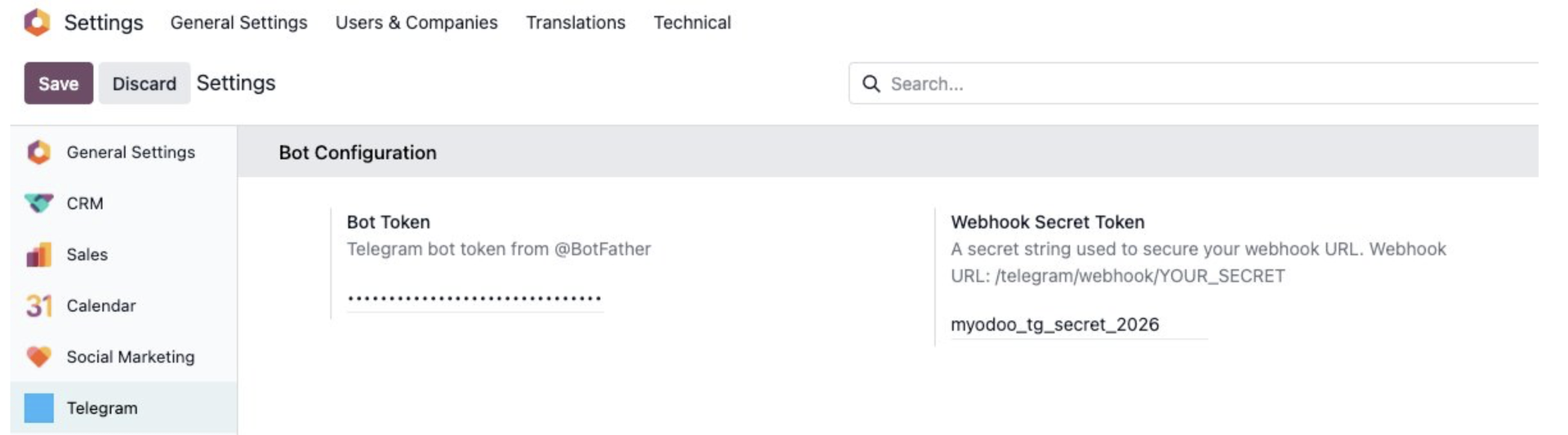
Settings → Telegram — Enter the Bot Token and Webhook Secret Token.
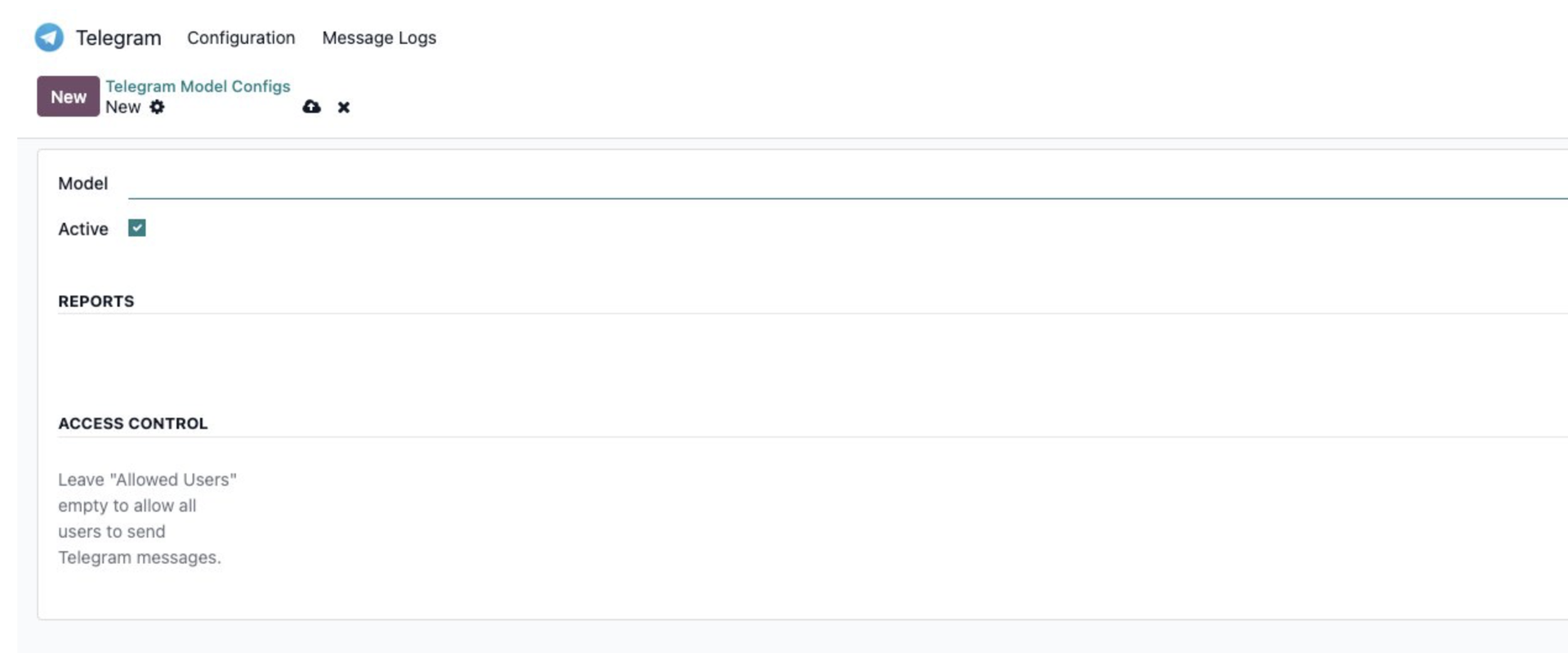
Telegram → Configuration → Model Configs — Set up access rights and allowed reports for each model.
🛠 Setup Guide: Odoo Telegram Integration
1. Create a Telegram Bot via @BotFather
Open Telegram → Search for the @BotFather profile → Send the /newbot command → Follow the instructions and copy the Bot Token provided at the end.
2. Enter Bot Token and Webhook Secret in Odoo
Go to Settings → Telegram menu.
Paste the copied Bot Token.
In the Webhook Secret field, enter any unique secret word or code of your choice (e.g., myodoo_tg_secret_2026).
Note: Remember this secret code; you will need it for the next step.
3. Register the Webhook with Telegram
Open the following URL in your browser once: https://api.telegram.org/bot<BOT_TOKEN>/setWebhook?url=https://<YOUR_DOMAIN>/telegram/webhook/<WEBHOOK_SECRET>
<BOT_TOKEN>: The token from @BotFather (Step 1).
<YOUR_DOMAIN>: Your Odoo server address (e.g., company.com).
<WEBHOOK_SECRET>: The secret code you created (Step 2).
Full Example: https://api.telegram.org/bot8602697632:AAEBSxxxxxxxxxx/setWebhook?url=https://company.com/telegram/webhook/myodoo_tg_secret_2026
If successful, you will see: {"ok":true,"result":true,"description":"Webhook was set"}.
4. Create Model Configurations
Go to Telegram → Configuration → Model Configs → New. Select the desired model (e.g., Sales Order) and set it to Active ✅. Here, you can also restrict which PDF reports can be sent and specify authorized users.
5. Add Telegram Username to Contacts
Go to the Contacts module, select a person, and enter their username (without the "@" symbol) in the Telegram Username field.
Example: If the username is @nodir_bek, enter nodir_bek.
6. Contact Activation via /start
The customer or partner must open your bot in Telegram and press the /start button. Odoo will then automatically link their Telegram Chat ID to their contact record. Once linked, they will appear in the recipient list.
7. Sending Messages from Documents
Open a Sales Order, Invoice, or any other configured document.
Click the Send Telegram button in the Chatter section.
Select the recipient.
Attach a PDF report if desired or type a custom message.
Click Send. ✅